How do I open something in my instance
Normally, any internal links that you come across while browsing should resolve automatically to open the correct page on your instance. Most apps and frontends are using little tricks behind the scenes to make this happen.
However, if that isn't working or if you find a link on some website (such as this one), you may need to find it manually in your instance.
Search using the link
Lemmy
You can often just copy and paste the link into the search bar.
If there are too many results, you can filter further to narrow it down. For example, selecting Communities will only show communities in the results.
PieFed
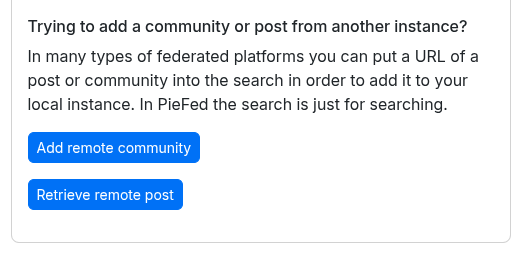
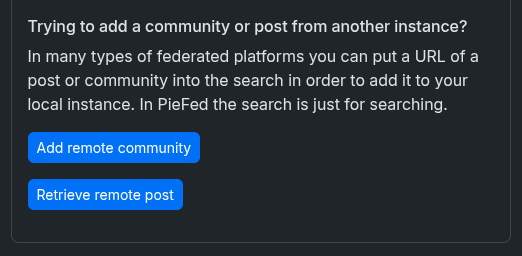
To search for posts and communities by using the link in PieFed, you first navigate to the search page and then near the bottom, select either "Add remote community" or "Retrieve remote post". This will let you then search for a specific community or post by url.
Search by community name or shorthand
Every community is identified with two parts:
- the name of the community
- the instance that it is from
For example, !canada@lemmy.ca is the community canada on the instance lemmy.ca.
Lemmy
You can use this notation with an exclamation mark to search for the community. For example, if you are looking for the woodworking community from lemmy.ca, you can paste the following into the search bar: !woodworking@lemmy.ca
PieFed
Searching for communities can be done from the search page, making sure that the communities tab is highlighted along the top.
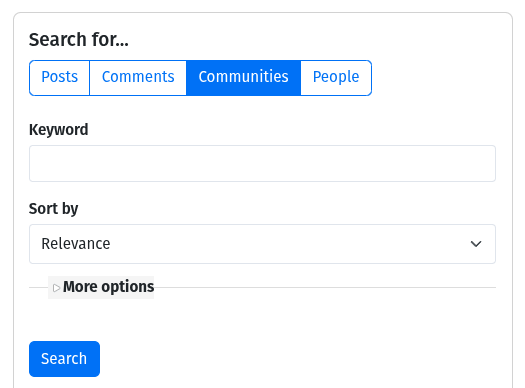
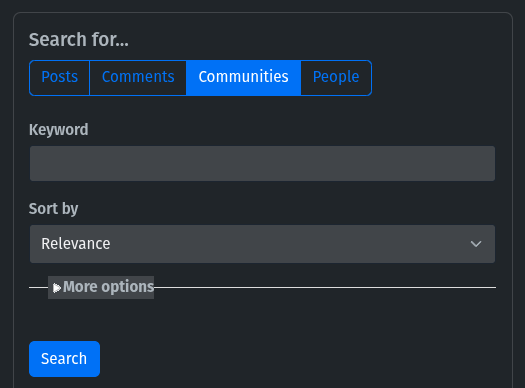
Community searching in PieFed can be done by searching for the name (e.g. woodworking), returning all the communities with woodworking in the name. Alternatively, you can specify the name and instance to narrow it down more (e.g. woodworking@lemmy.ca).
Community Ambiguity
Note that even specifying both the name and instance can return multiple communities in PieFed using this method. As an example, searching for woodworking@lemmy.ca will include the community woodworking@lemmy.ca as well as beginner_woodworking@lemmy.ca in the search results if they both exist. To precisely resolve a single community, see the section above to search with a link or the section below to manually resolve the community.
Manually resolve the community
If you are using a web browser, you can manually type in the correct URL if you know both the community name and community's home instance. This method works the same on both Lemmy and PieFed.
If you have an account on lemmy.ca, and you want to open the science_memes community from mander.xyz, you would type in lemmy.ca/c/science_memes@mander.xyz.
When you are looking for a community that is on the same instance that you have an account with, the @instance part is optional. For example, the following links will take you to the same place:
lemmy.ca/c/canadalemmy.ca/c/canada@lemmy.ca