Threadiverse Detailed Overview
This page goes into more details that aren't required to be able to casually use the Threadiverse. However, it can be helpful for those who are curious.
Are you confused while reading this guide page?
If you haven't already, please see these other guide pages first:
Where are the communities?
With a traditional forum style platform, all of the communities are locked inside that one platform. You can only interact with the communities if you have an account on that platform.
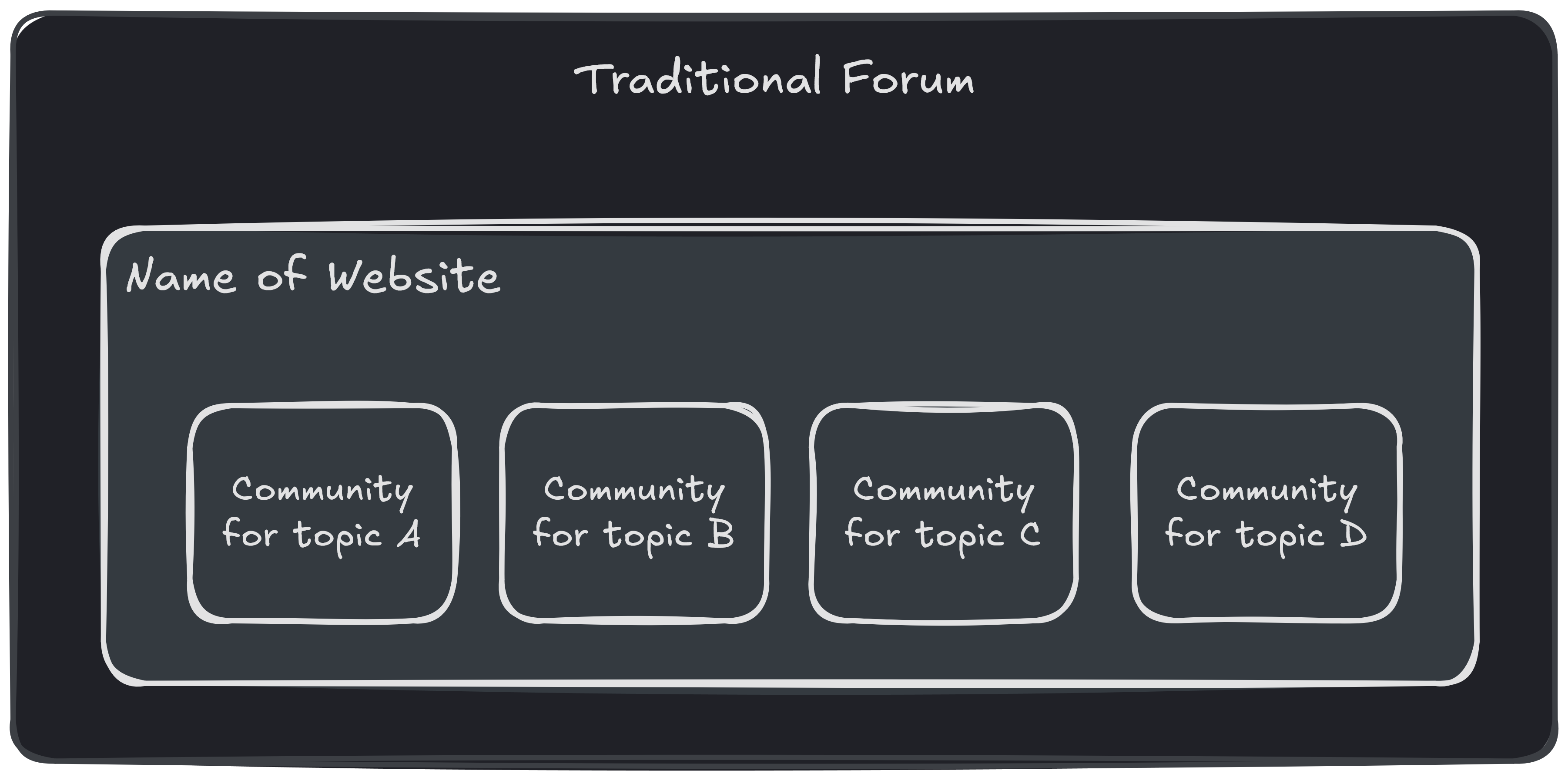
Federated platforms such as Lemmy, Piefed, and Mbin can do much more!
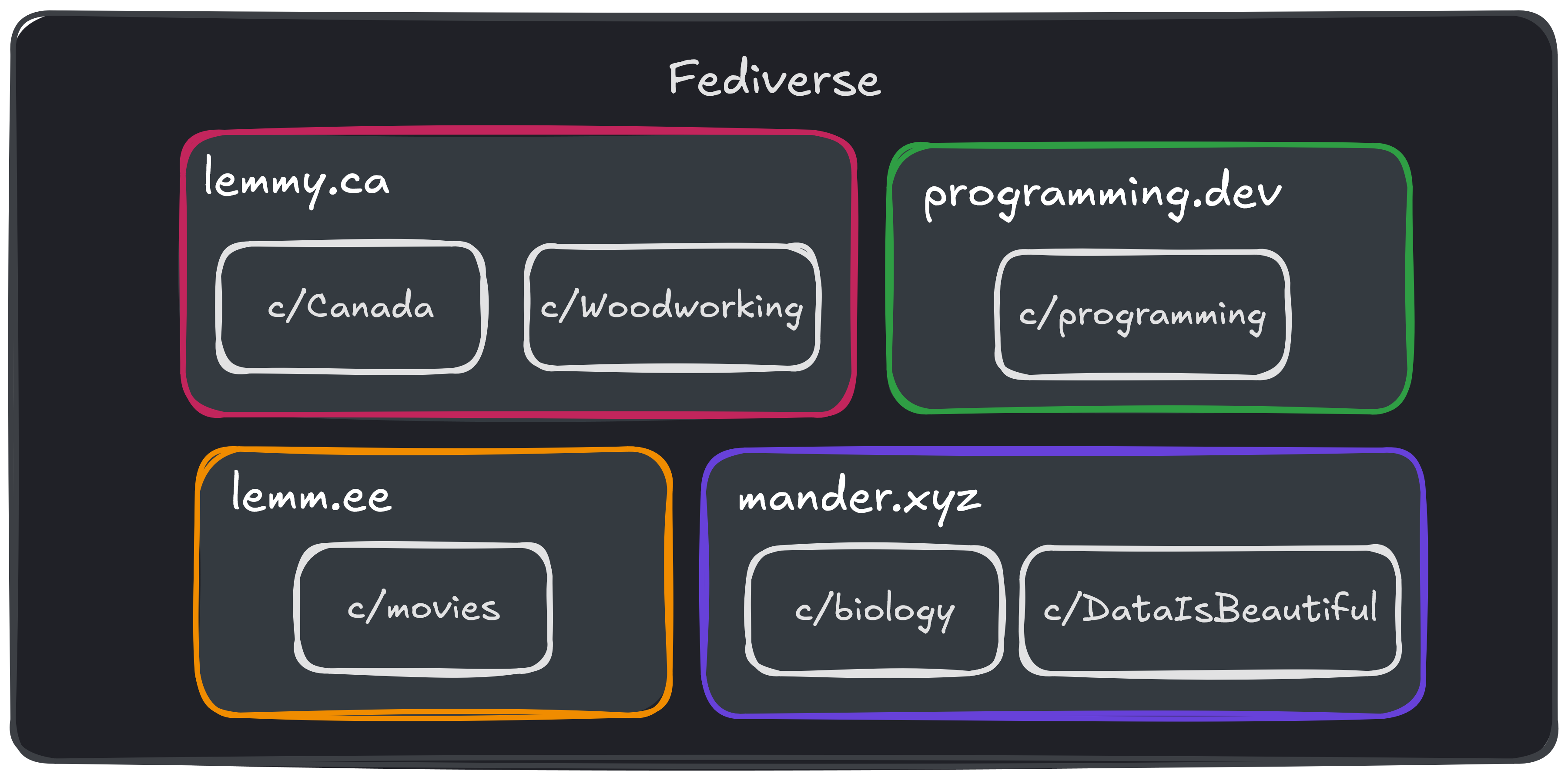
For example, we run an instance called lemmy.ca. People have made communities on lemmy.ca for a variety of topics, including c/Canada and c/Woodworking.
Another team runs an instance called programming.dev, and they have their own communities, such as c/Programming. A different team runs mander.xyz, and their communities include c/science_memes and c/DataIsBeautiful.
See the image below for a visualization of this:
So how do I join one of these communities?
If your account is on lemmy.ca, it will appear as though all of these communities are on lemmy.ca. You can interact with all of the communities just the same. This includes subscribing, making posts, comments, moderating, etc.
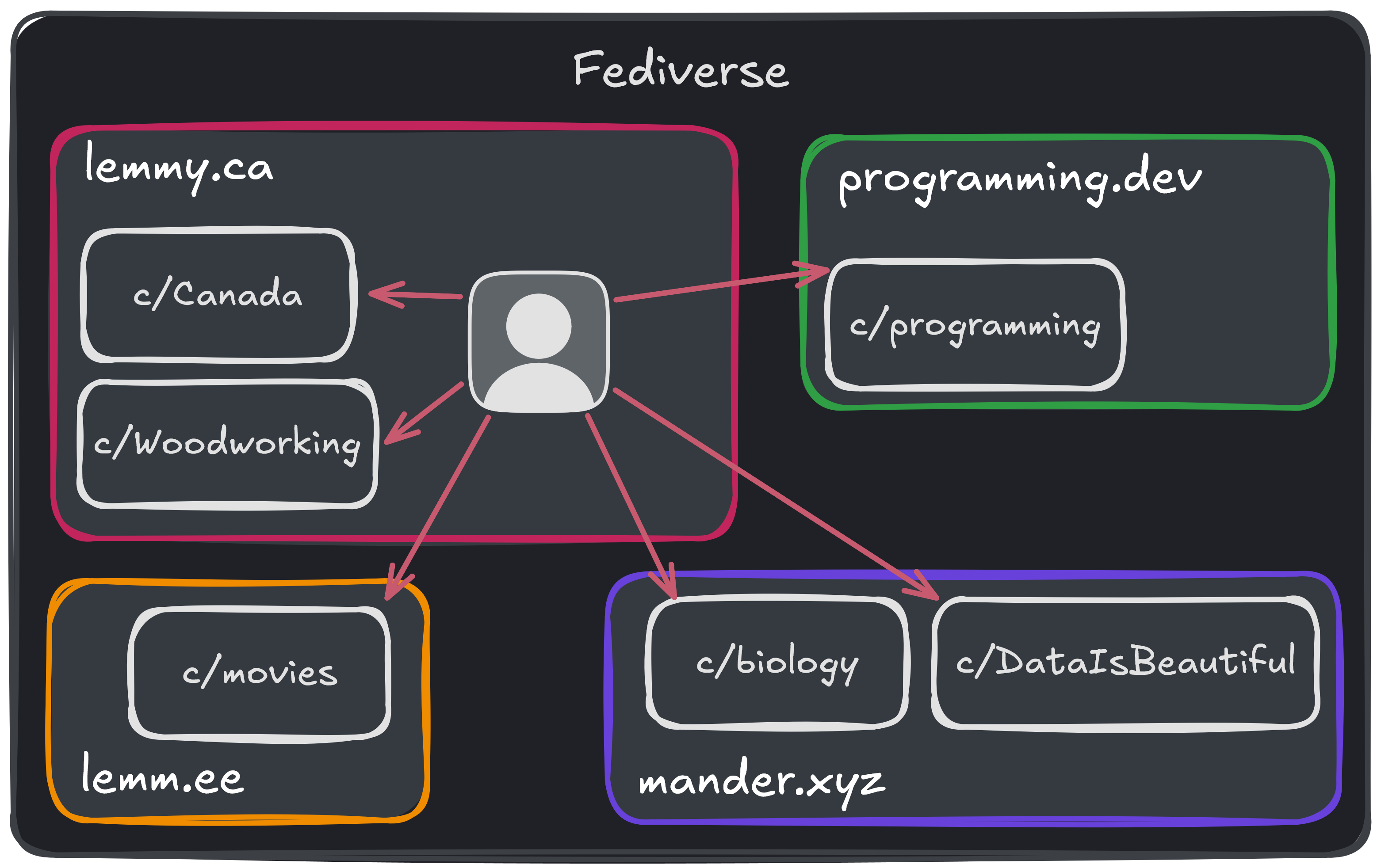
This is true for any instance that lemmy.ca knows about. If you find a new community somewhere, that no one on lemmy.ca has subscribed to before, it won't show up at first. However once you search for it once on lemmy.ca, it will look like any other community on lemmy.ca!
What about 'bad' communities or instances?
If there is a community that you don't like, you can block it. If you find that you don't like an entire instance, you can block the entire instance and you won't see their users, communities, or posts anymore. For instructions on how to do this, see this section.
If there is a particular community or instance that you think is especially bad, you can let the admins of your instance know. They can block it for everyone on your instance.
For example, users on lemmy.ca can let us know by posting in c/Main@lemmy.ca.
What if two instances have the same community name?
This is possible, and it is intentional! If two communities have the same name, but were created on different instances, they are considered separate communities. It's similar to traditional forums when there are two communities for the same topic with slightly different names (ex. Technology and Tech).
This allows different people to moderate the communities in a way that they see fit. For example, one community might be more strict about what content is allowed, while another might be more relaxed.
This is also why you should include the instance name when you are linking to a community. For example:
- !canada@lemmy.ca
- !woodworking@lemmy.ca
- !programming@programming.dev
- !science_memes@mander.xyz
- !DataIsBeautiful@mander.xyz
These are small differences, but you'll get used to them quickly!