How to deal with inappropriate content
Federated platforms, such as Lemmy, Piefed, or Mbin, are made up of many different instances. Each instance might be run by a different team, each with its own rules and policies. The content you see may vary depending on the instance you are using.
There are 2 categories of inappropriate content that you may encounter:
Rule breaking content
- Content may break the rules of the entire instance. This varies, but generally includes things like hate speech, harassment, and spam. You can find the rules for your instance in the sidebar on the homepage, or by using special links such as 'Legal' at the bottom of any page.
- Content may break the rules of a community that you are using. You can find the rules for a community in the sidebar on the community page.
If you are unsure, you can always reach out to the moderators or admins for clarification.
Content that is not against the rules, but you still don't want to see it anymore
- This can include violent content, sexual content, disturbing or offensive content, or anything that you don't want to see in the future.
How to deal with inappropriate content from the first category?
If you see rule breaking content, you can report it to the moderators of the community and the admins of the entire instance.
Lemmy
To report content on Lemmy, you can use the three dots button on a post or comment and select "Create Report". You should also include an explanation in the "Reason" field, as it might not be obvious why you are reporting the content.
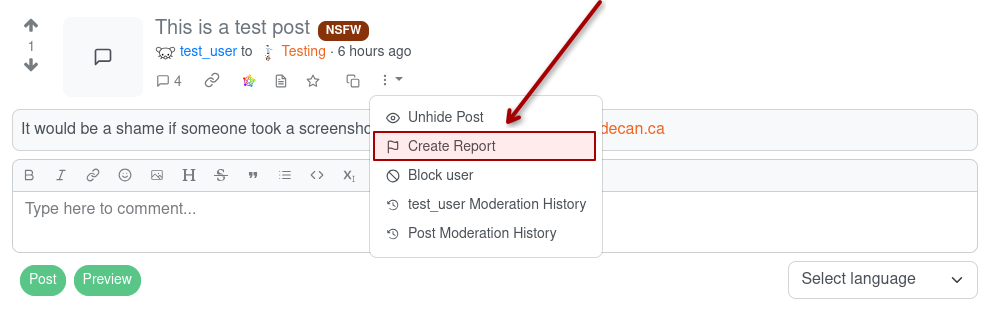
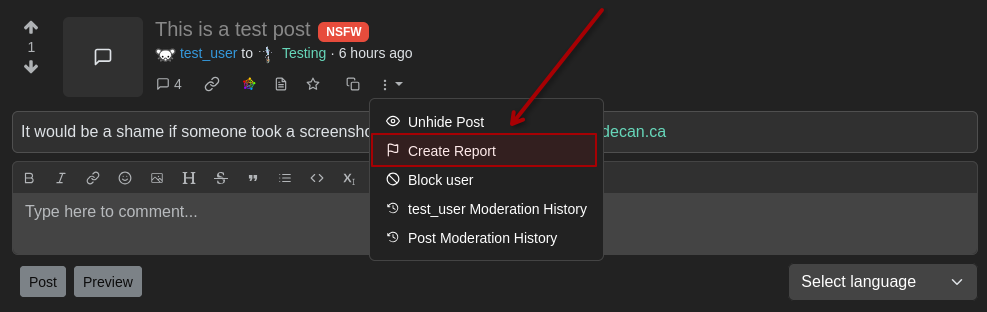
Reporting a post
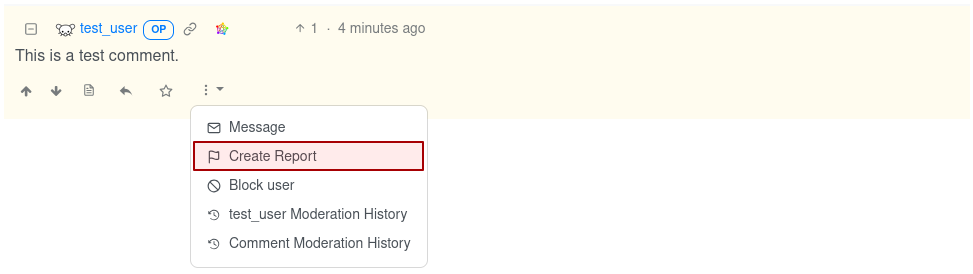
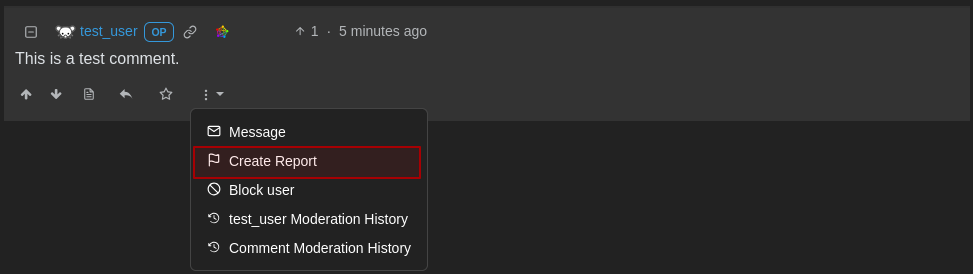
Reporting a comment
Include a valid 'Reason' with your report
It is important to add a valid Reason for the report, as this will help the moderators understand why you are reporting the content. If you do not provide a valid Reason, your report may be ignored or dismissed because of lack of evidence or information.
The moderators or admins may not be able to see the whole context of the post or comment without investigating your report manually if you dont provide enough of a reason or evidence.
Urgent Issues
If the rule breaking content is serious or time sensitive, there may be other ways to contact the moderators or admins. Some teams use messaging services such as Discord, Matrix, IRC, etc. Others may have a dedicated email address or contact account that you can send a message to.
It is a good idea to look for that information ahead of time in order to set up the necessary communication channels
How to deal with inappropriate content from the second category?
If you see content that is not against the rules of the instance or community you are using, but is still something that you don't want to see in the future, you can use the following methods:
- Ignore it: If the content is not against the rules, you can simply ignore it and move on. This is often the easiest and most effective solution.
- Hide the post or comment ( see here )
- Block the user ( see here )
- Block the whole community ( see here )
- Block the whole instance ( see here )
- Report the user: If the user is harassing you by bypassing the above-mentioned methods, you can report the user to the admins of the instance. ( see here )